

GTA 6 AI Filter: Turn Any Photo into GTA 6 Art
Upload a selfie, couple or family photo and get it redrawn as GTA 6 loading-screen art in about 40 seconds. The AI keeps your face and pose, then adds Leonida palm trees, neon signs, muscle cars and a streetwear glow-up. No app, no prompt.
Make Your GTA 6 Character
One photo in, GTA 6 version out — no prompt needed.
Upload Your Photo
Drag & drop or click — selfies, couple, family and group photos all work
JPG, PNG or WEBP · up to 10MB
Creating your GTA 6 character…
GTA 6 Filter Before & After
Same face, same pose, same smile — now in Leonida.
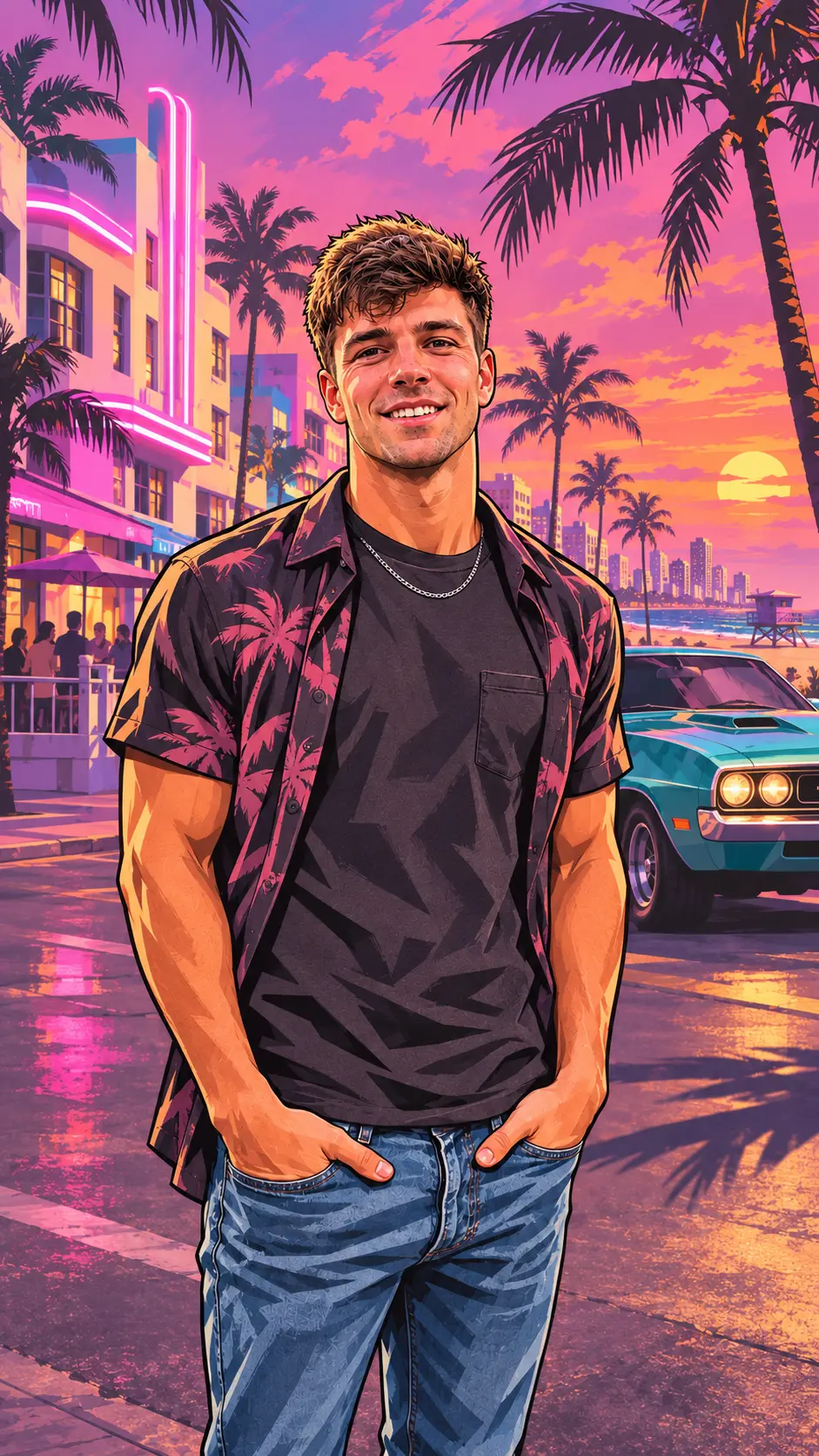

Drag the slider to compare the original with its GTA 6 version.
GTA 6 AI Filter Examples
Real before-and-after results from a single photo — a couple photo and a selfie turned into GTA 6 characters, with the same faces, poses and props.
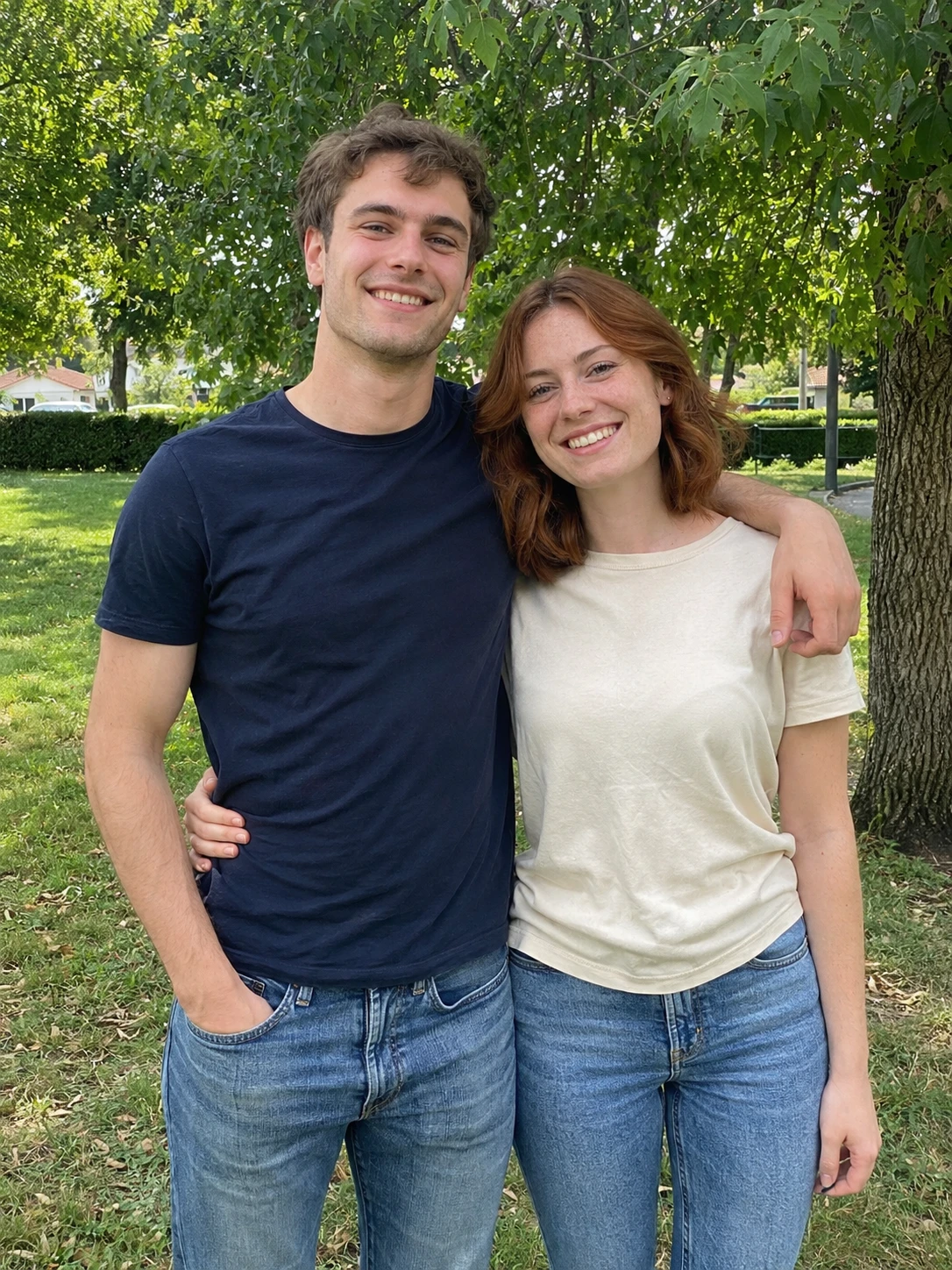 Before
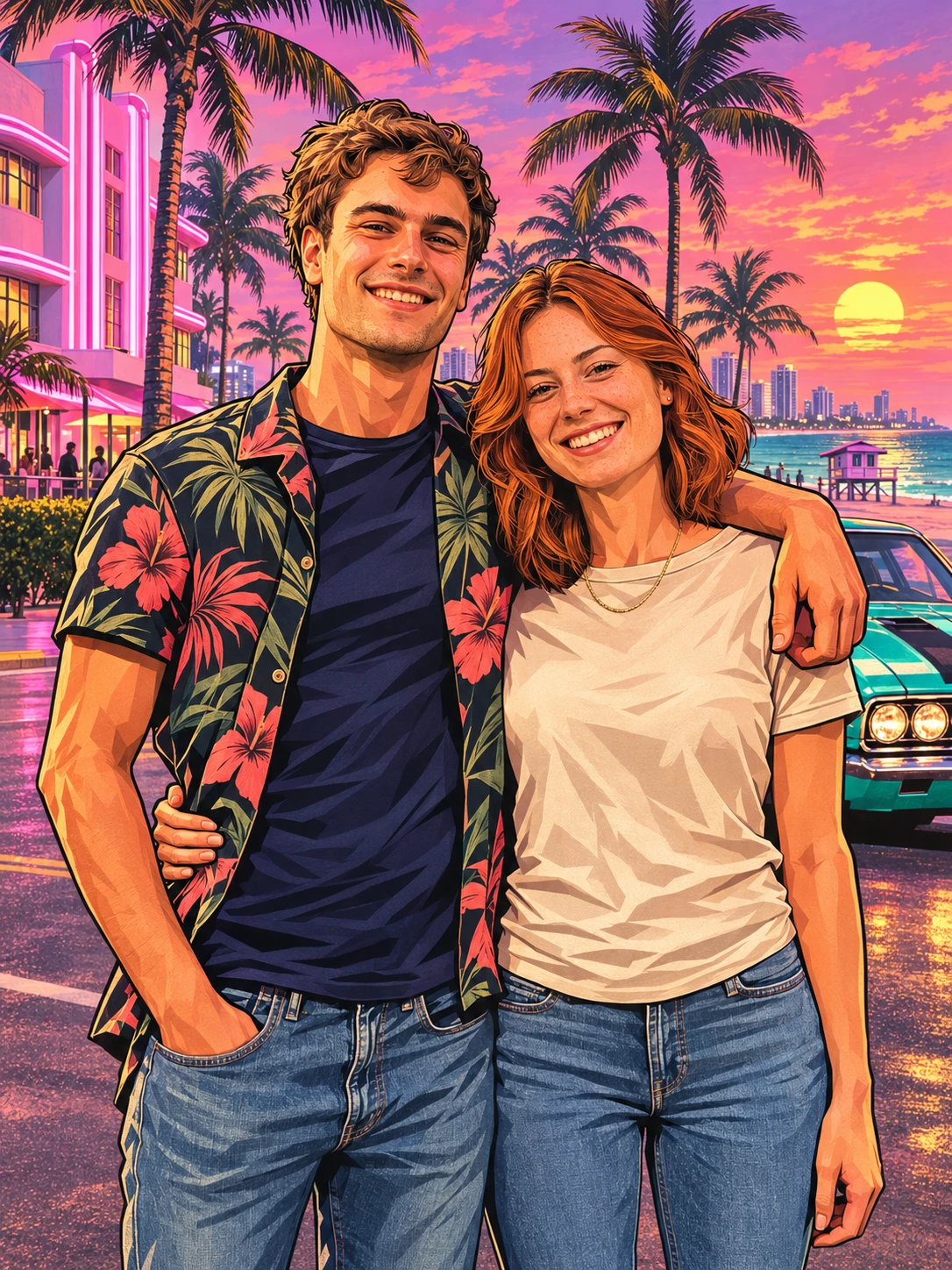 After
 Before
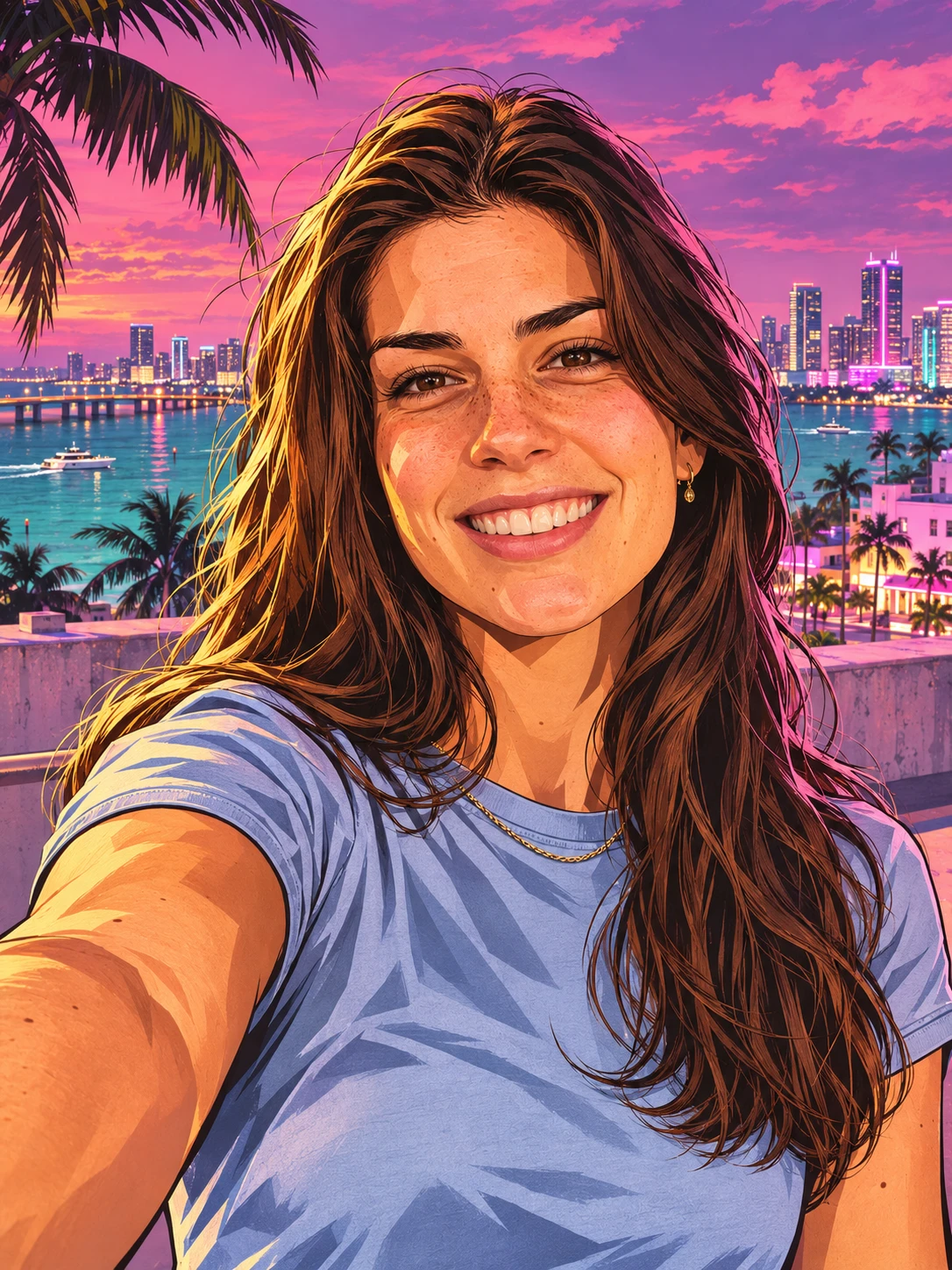 After
Why Use This GTA 6 AI Filter
Keeps Your Face and Pose
The AI redraws your real photo, not a stock game character. Face, age, hairstyle, hand positions and props like glasses stay the same.
Authentic GTA 6 Art Style
Bold ink outlines, cel shading and the sun-soaked Leonida look of the GTA 6 loading screens — palm trees, neon and muscle cars.
No Prompt, No App
Works in your browser on iPhone, Android and desktop. Just upload and click Generate — the GTA 6 style is built in.
Private & Secure
Photos are processed securely, never shared and never used to train AI models.
How to Turn Your Photo into GTA 6 Art
Upload a Photo
Upload a clear JPG, PNG or WEBP photo up to 10MB — a selfie, couple photo or family photo.
Click Generate
The AI keeps the faces, pose and props, and redraws the background, outfits and art style as GTA 6 loading-screen art.
Download and Share
Download the result and post it next to the original for the before-and-after swipe effect on TikTok or Instagram.
GTA 6 AI Filter FAQ
Make Your GTA 6 Character Now
Upload a photo and get your free GTA 6 version in about 40 seconds.
Try the GTA 6 AI Filter FreeGrand Theft Auto and GTA are trademarks of Take-Two Interactive Software, Inc. This fan-art tool is not affiliated with or endorsed by Rockstar Games or Take-Two Interactive.